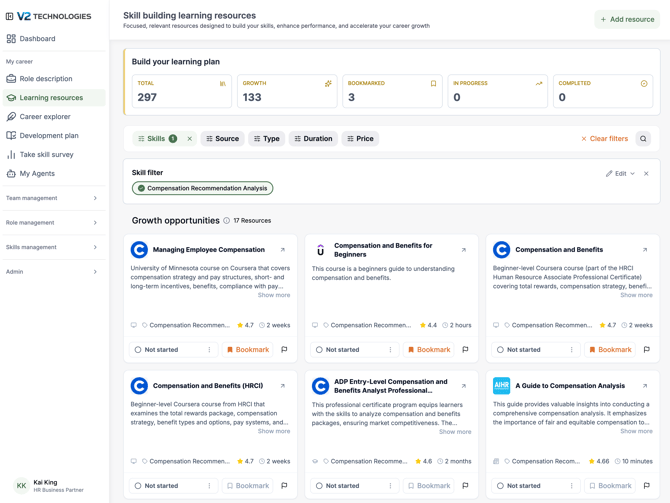
The Learning Resources page provides curated content to help you develop the skills needed for your role and career growth.
Resources are tailored based on:
- Your role
- Your skill survey results
- Your growth opportunities
Why this matters
Learning Resources help you:
- Close skill gaps identified in your survey
- Strengthen key competencies
- Grow into your next role
- Take actionable steps toward development
What you’ll find here Personalized resource library
Resources are organized into categories such as:
- Courses
- Articles
- Videos
- Books
- Online resources
Each resource includes:
- Title and provider
- Description
- Skill tags
- Duration
- Rating (when available)
- Progress status
Filtering & search
You can refine resources by:
- Skill
- Level
- Source
- Type (course, article, etc.)
- Price (free vs. paid)
- Duration
This helps you quickly find the most relevant content.
Progress tracking
Each resource allows you to track your progress:
- Not started
- In progress
- Completed
This helps you stay organized and accountable in your learning journey.
Submitting learning resources
Employees can contribute resources to the platform in two ways:
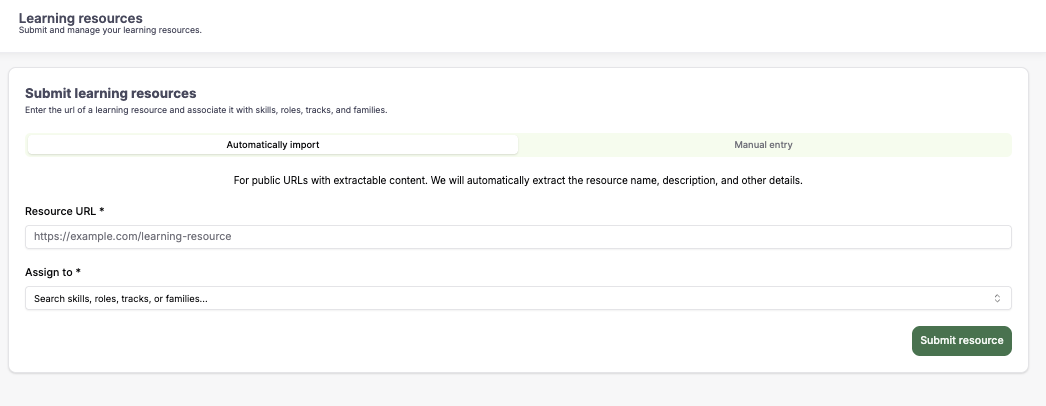
1. Automatic import
Best for: Public links (e.g., Coursera, YouTube, articles)
How it works:
- Paste the resource URL
- The platform automatically extracts:
- Title
- Description
- Key details
You then:
- Assign it to relevant skills, roles, or tracks
2. Manual entry
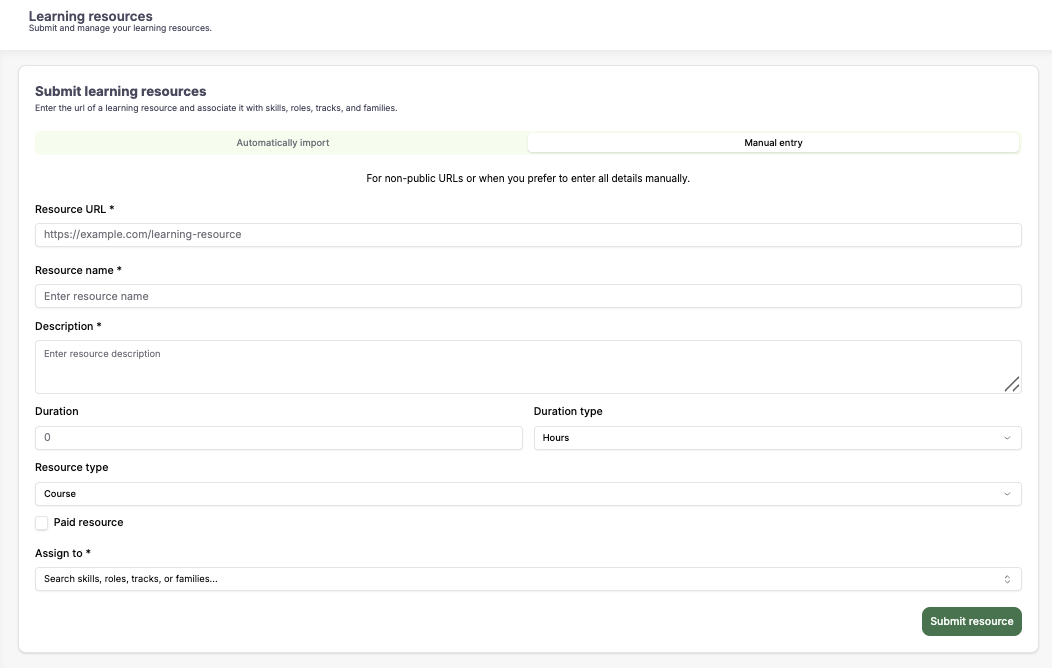
Best for: Internal resources or non-public content
You can manually input:
- Resource name
- Description
- Duration
- Resource type (course, article, etc.)
- Whether it is paid or free
- Associated skills, roles, or tracks
Why submitting resources matters
- Helps improve the organization’s learning library
- Supports team-wide development
- Allows you to share valuable knowledge with others
How does this connect to your growth
Learning Resources are directly linked to:
- Skill Survey → Identifies your gaps
- Role Description → Defines required skills
- Career Explorer → Shows future skill needs
How to use this page effectively
- Focus on resources tied to your growth opportunities
- Prioritize 1–2 skills at a time
- Track your progress consistently
- Apply what you learn in your day-to-day work
Best practices
- Choose resources aligned with your role and next step
- Mix formats (courses, articles, videos) for better learning
- Set realistic learning goals
- Revisit your skill survey after completing resources
- Share useful resources with your team
Summary
Learning Resources help you:
- Take action on your development
- Build the skills needed for success
- Progress in your career path
- Continuously grow over time