
Welcome to Career Bird
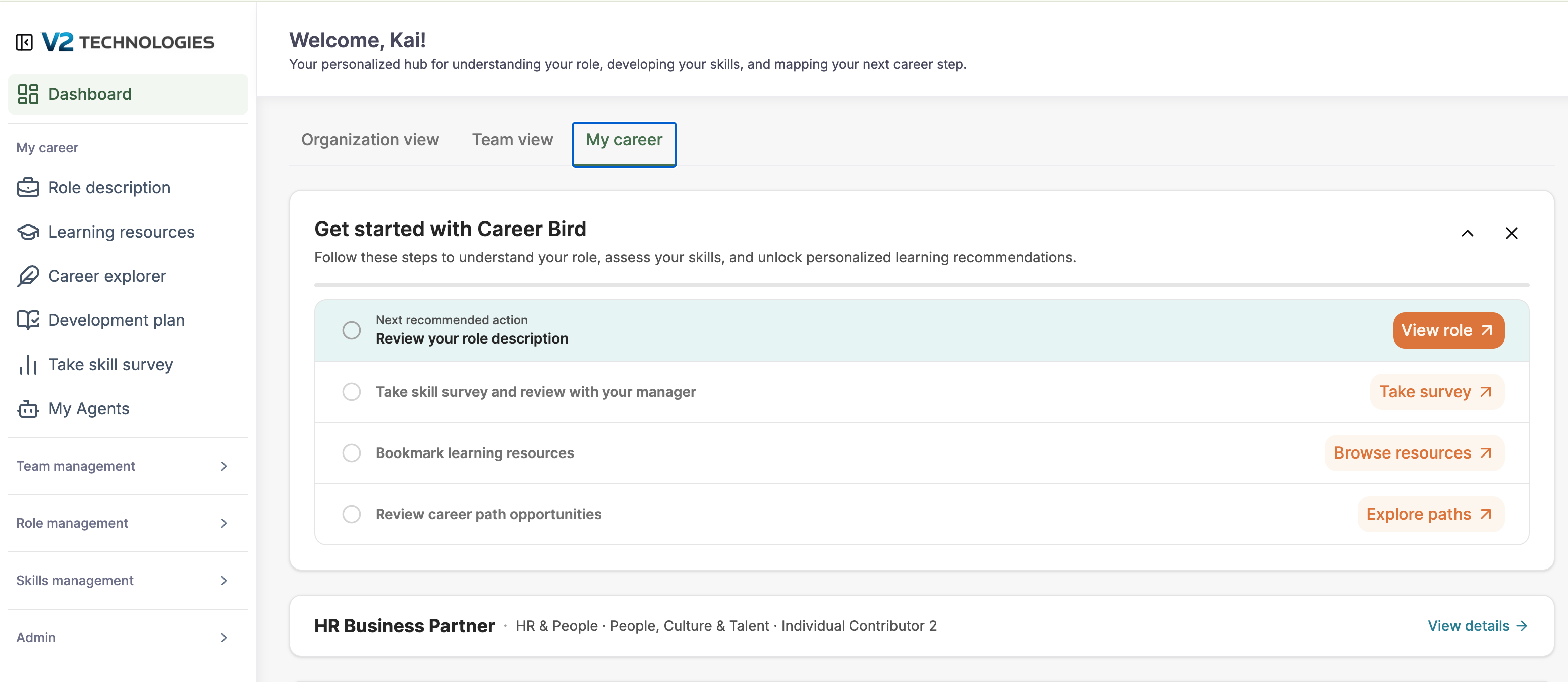
The Employee Dashboard is your central hub for:
- Understanding your role
- Assessing your skills
- Identifying growth opportunities
- Accessing personalized learning
What you can access
As an employee, you have access to:
- Dashboard – Overview of your role and growth
- Role description – Responsibilities and expectations
- Learning resources – Recommended content
- Career explorer – Career path opportunities
- Success metrics – How success is measured
- My skills – Your skill assessment results
When you first log in, you’ll see a guided onboarding section with key steps.
These steps are designed to help you quickly understand your role and start growing.
Step 1 review your role description
What to do
- Click “View Role”
Why it matters
- Understand your responsibilities
- See the skills required for your role
- Clarify what success looks like
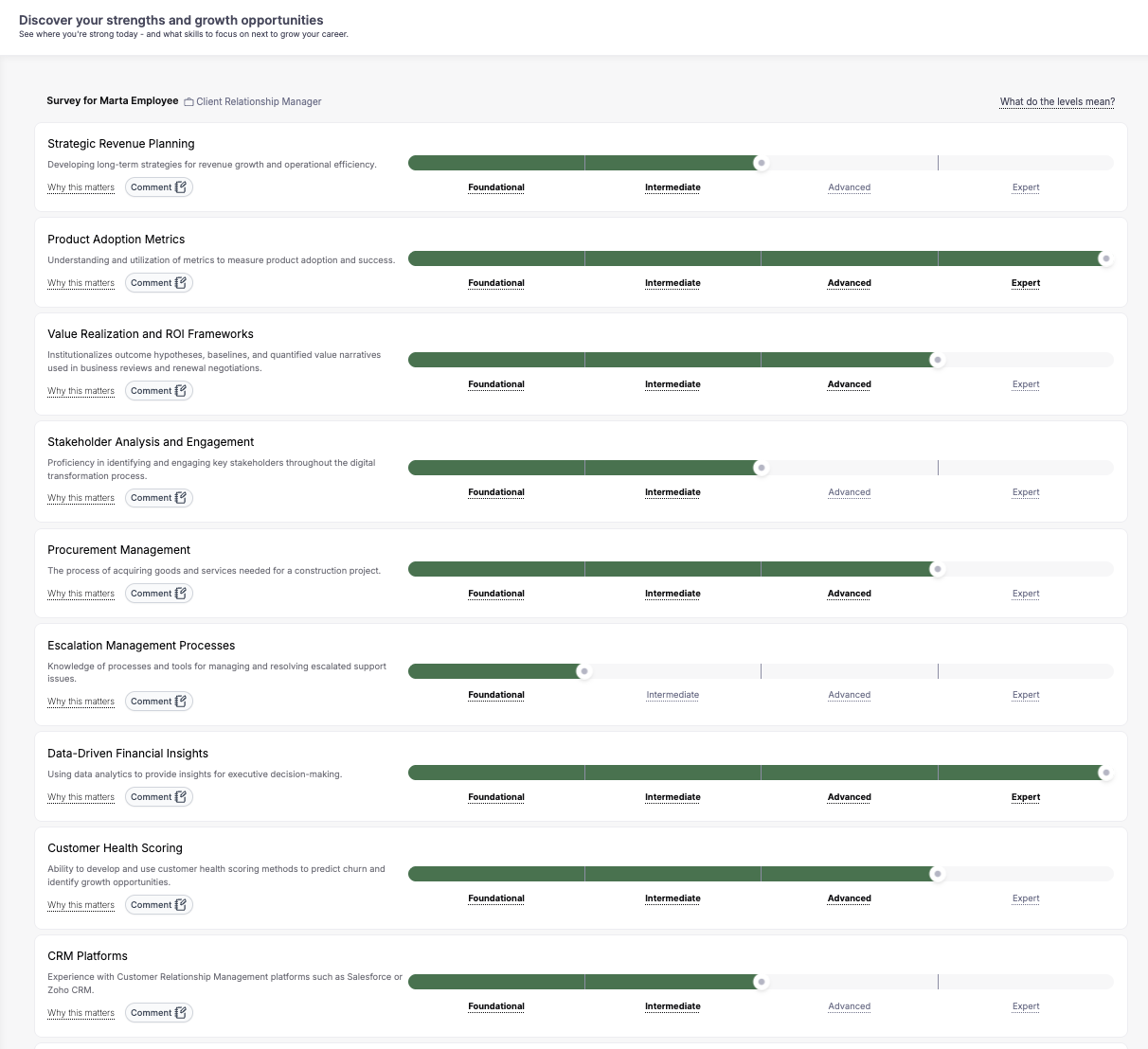
Step 2 take the skill survey
What to do
- Click “Take Survey”
- Complete your self-assessment
Why it matters
- Identifies your strengths
- Highlights growth opportunities
- Powers your personalized recommendations
This is the most important step to unlock the full platform.
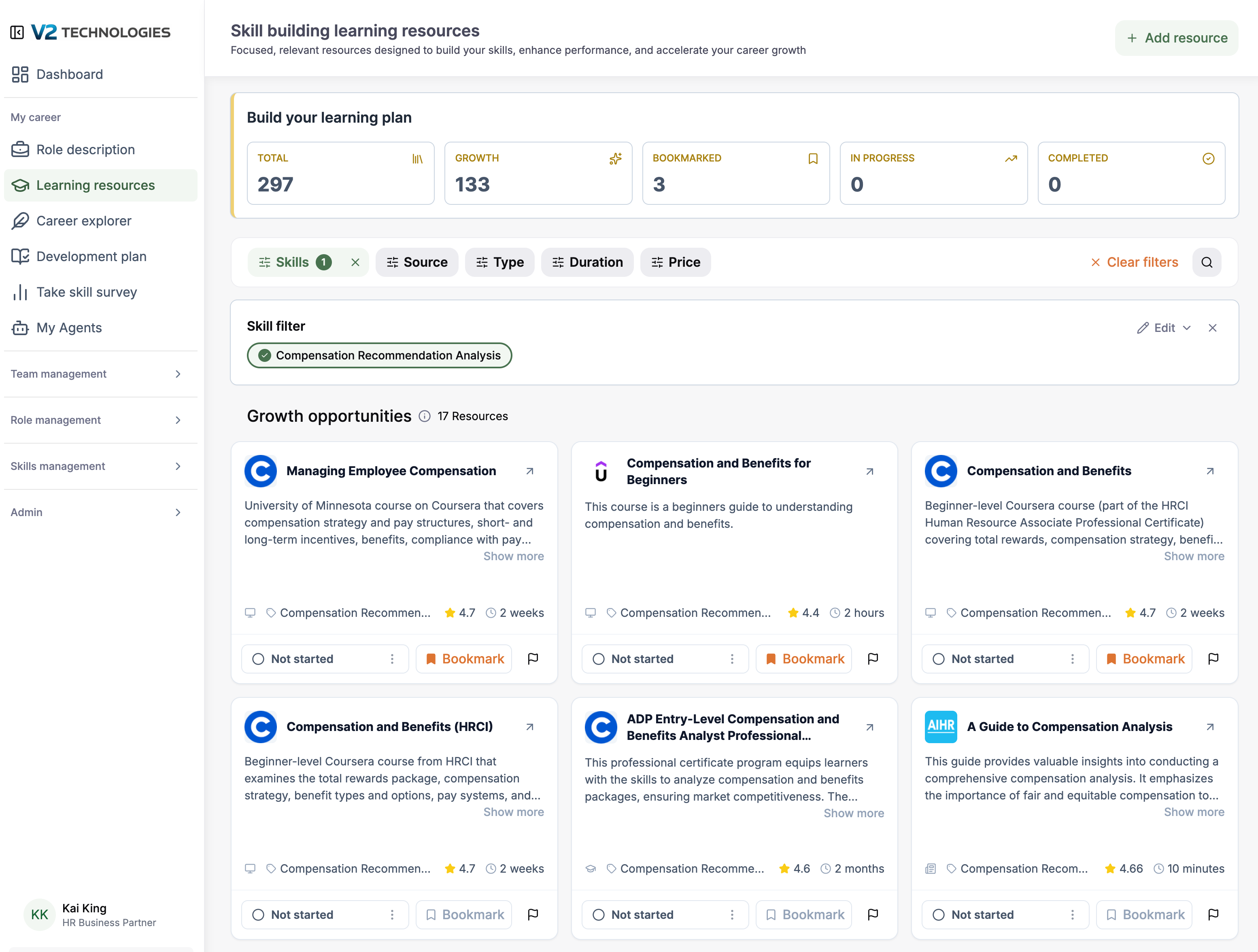
Step 3 bookmark learning resources
What to do
- Explore recommended content
- Save resources you find useful
Why it matters
- Helps you build skills faster
- Creates your personalized learning path
Step 4 explore career paths
What to do
- Click “Explore Paths”
Why it matters
- See how you can grow within your team or company
- Understand what skills are needed for your next role
After completing these steps, you’ll have:
- Clarity Understand what’s expected in your role
- Confidence Know your strengths and areas to improve
- Guidance Get personalized learning recommendations
- Opportunity See clear career growth paths
Your dashboard includes a summary of your current role:
- Role title and department
- Skill overview
- Progress toward expectations
You’ll see:
- Total skills
- Exceeding expectations
- On target
- Growth opportunities
This helps you quickly understand where you stand.
Top growth opportunitiesThis section highlights:
- Skills you should focus on improving
- Your current level vs target level
Use this to prioritize your development.
Quick actionsAt the bottom of your dashboard, you can quickly access:
- View skills – Review your skill levels
- Learning plan – Continue your development journey
- Career explorer – Explore future roles
- Role description – Revisit your responsibilities
- Your role defines what you are responsible for
- Your skills show how you are performing
- Your survey identifies gaps
- Your learning plan helps you improve
- Your career path shows what’s next
- Complete your skill survey early
- Review your role regularly
- Focus on top growth opportunities
- Use learning resources consistently
- Revisit your career path often
Career Bird helps you:
- Understand your role
- Measure your skills
- Grow with purpose
- Plan your career