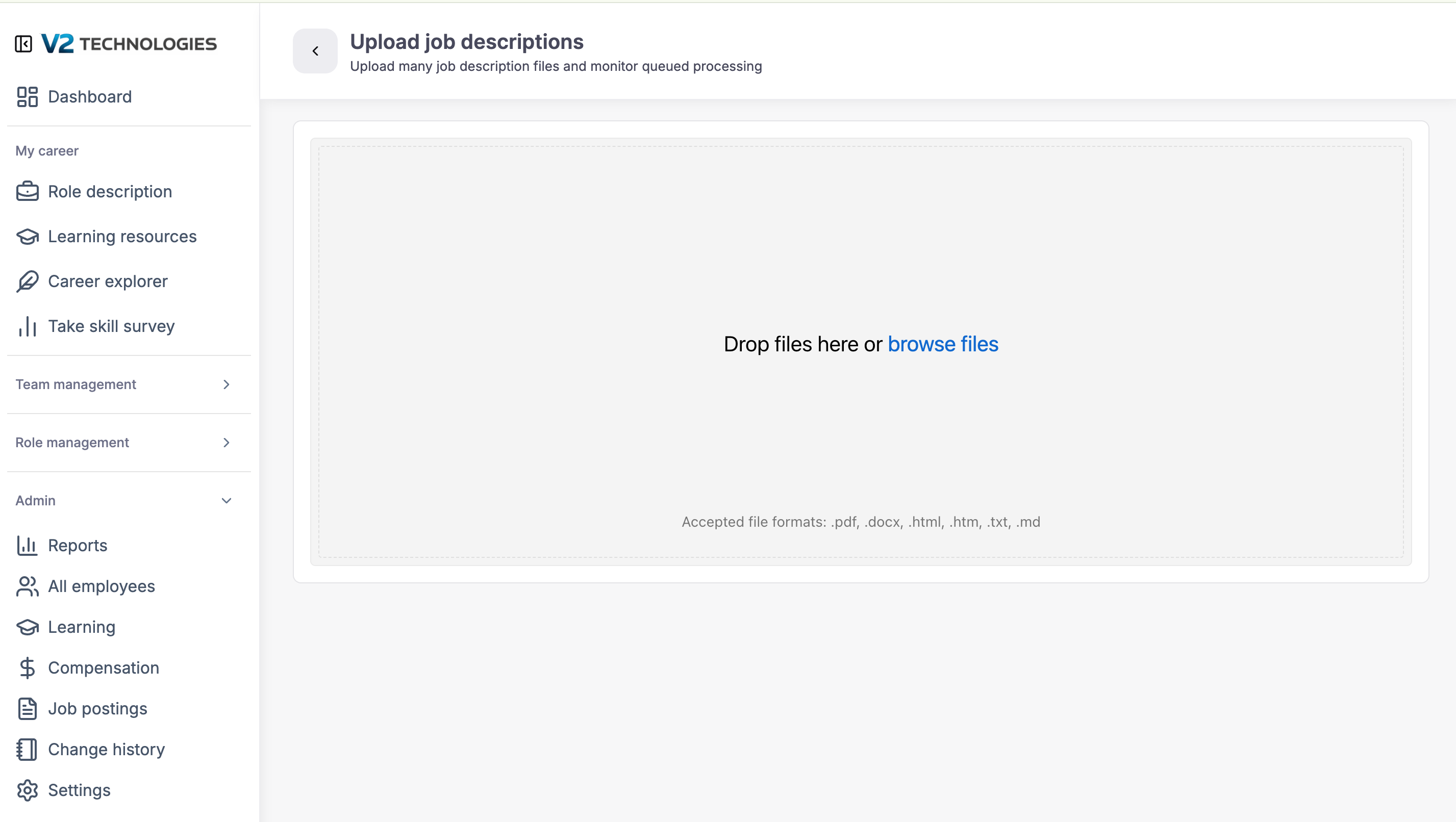
You can upload an existing job description that Career Bird will use to create a enhanced role description that includes, role base skills (12), core skills (6) and leadership skills (4).
Step 1
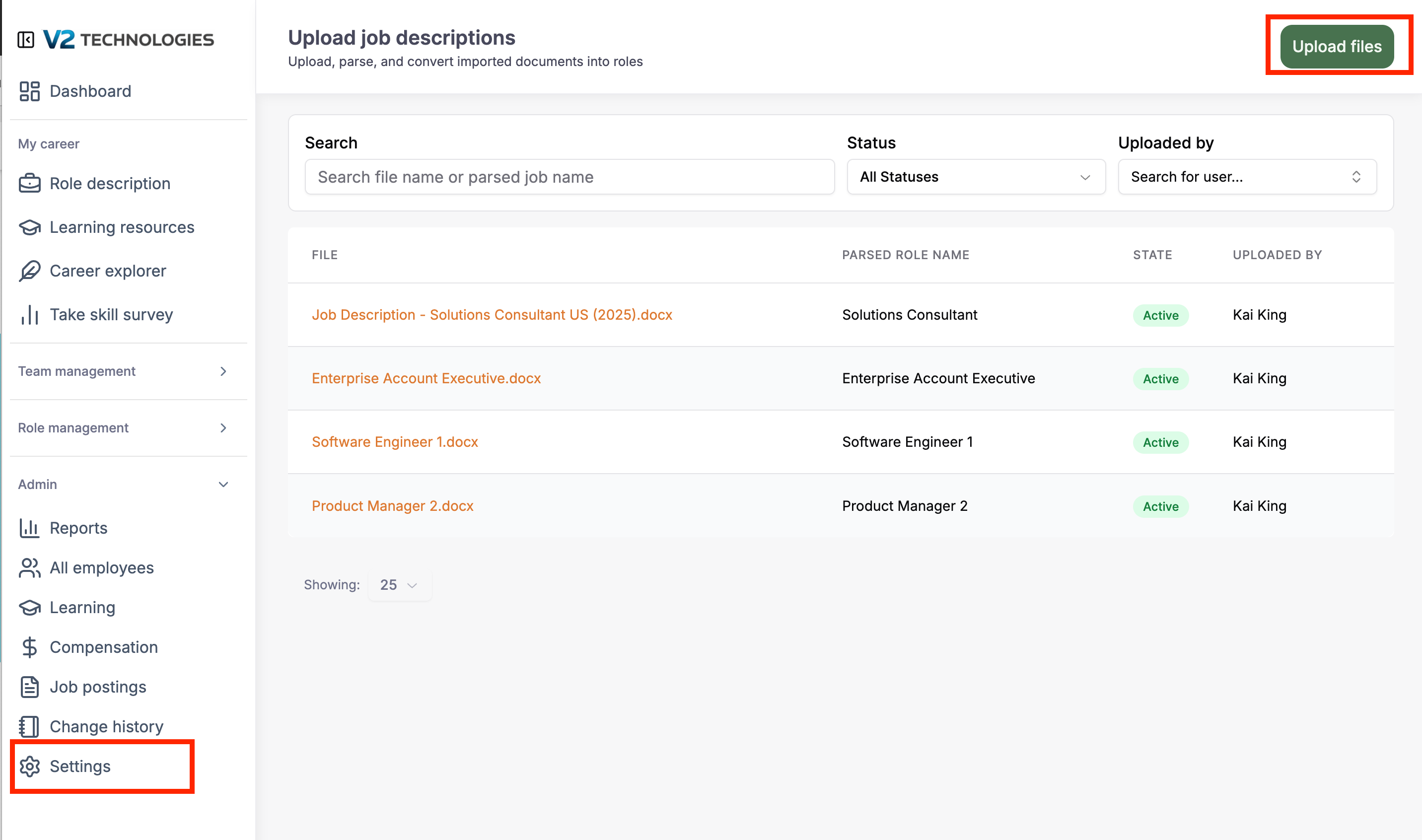
Naviate to the "Upload job description page" by clicking on Settings in the Admin menu on the left side of the page. Then click upload job
Admin --> Settings --> Upload job descriptions --> Upload files
Step 2
Drag and drop or browse files to upload your job descriptions. IMPORTANT: Each job description should be a separate file. After uploading the job description files it will take some to process them. Expect 10-30 minutes depending on volume.