What is a leveling framework?
A leveling framework is a structured system that defines progressive stages of responsibility, skill, autonomy and impact for roles within an organization, typically used to guide career growth and compensation decisions. Each level outlines specific expectations and competencies an employee must demonstrate to advance to the next stage.
How is the leveling framework used in Career Bird?
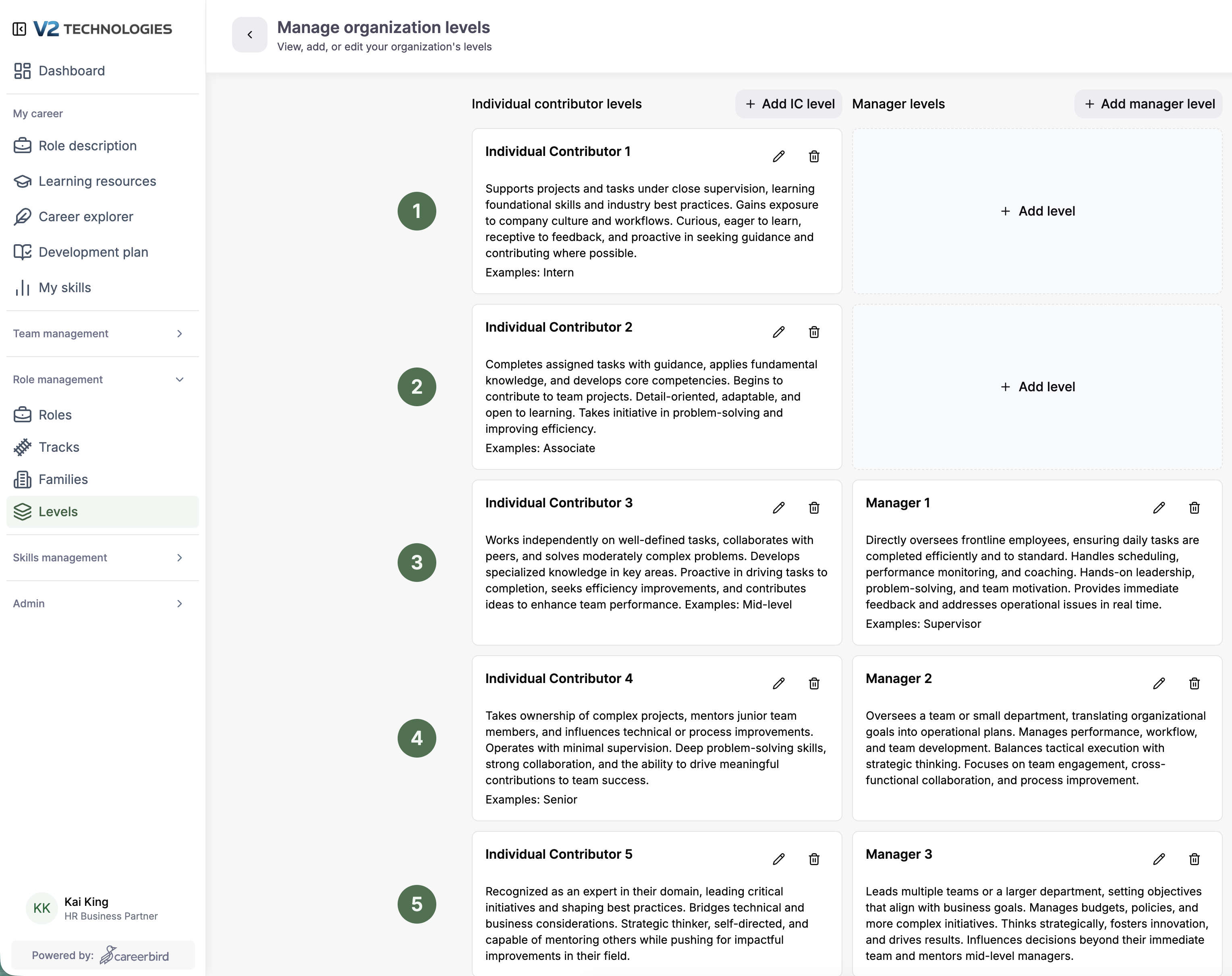
Levels play an important role by helping employees understand what level their role is, other roles at that level and what other roles at other levels exist. The leveling framework you choose will be used to automatically assign a level to each role in the system based on scope, skills, autonomy and impact described in each level. Levels are used to show roles by level in Career Explorer.
Where do I setup and customize the leveling framework?
Roles --> Levels
https://app.careerbird.ai/organization/levels
Can I change levels before or after they are assigned to roles?
You may override the level by assigning levels to roles when they are created. Assigning existing levels designations to roles can be done automatically when you upload the CSV with a list of roles, when you connect your HRIS, or when you manually create a role. You may also change the level of a role after it has been assigned.
What are the existing leveling templates that I can choose from?
There are currently six leveling templates tailored to company size, based on the number of employees. These templates have between 7 and 24 levels. During setup you will need to pick one of leveling frameworks and customize it before creating too many roles.
You can always change your leveling system later, but keep in mind that roles are assigned to a level based on the leveling system as it was defined when the role was created.
Select one of the following leveling framework shown below
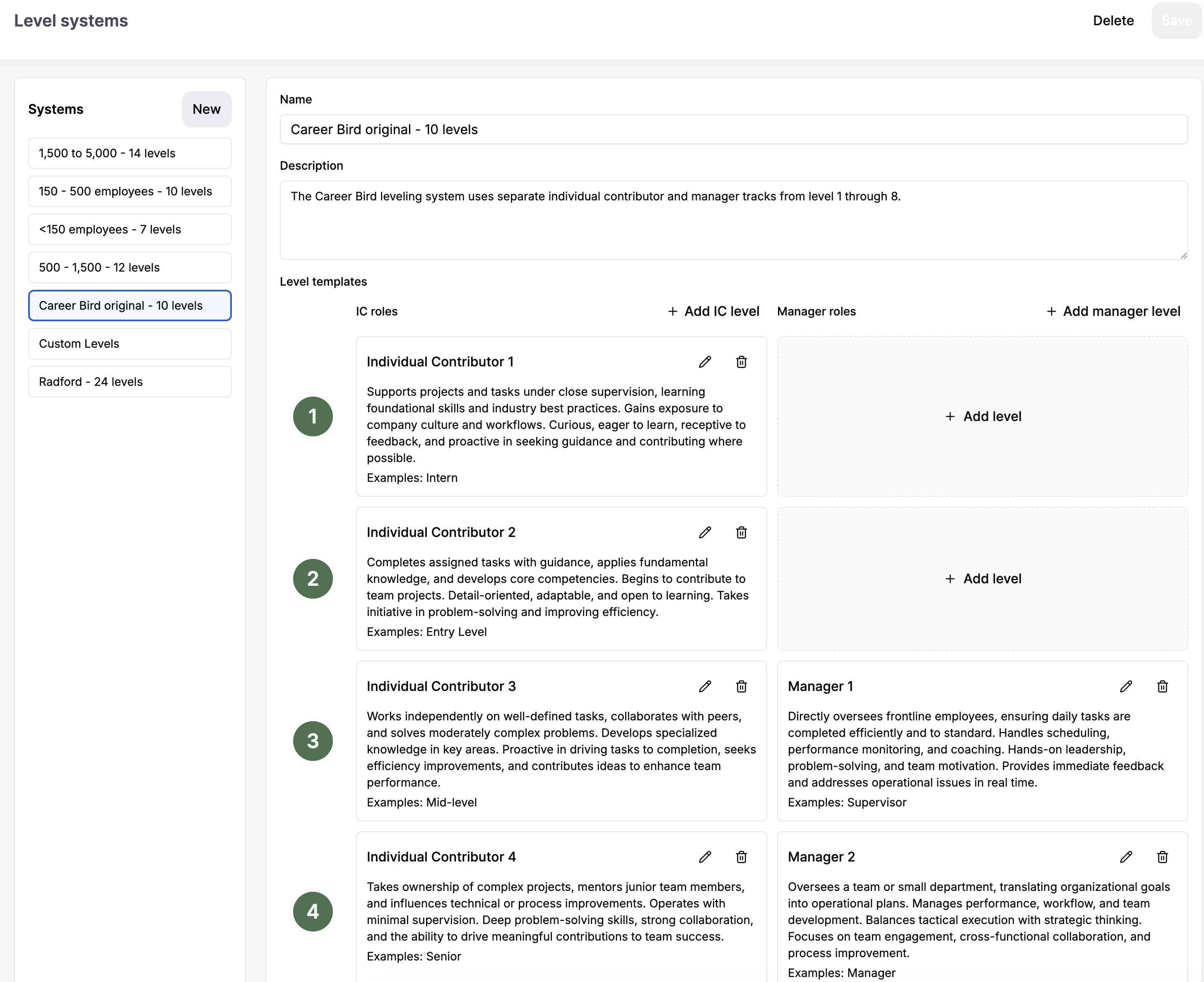
Once selected you can customize your version for your organization