
What is a Role Track?
A role track is a defined progression of roles within an organization, sequenced by increasing responsibility and skill. Admins create role tracks to map out how employees can advance — for example, from Associate to Senior Associate to Lead — with each step representing a clear expansion of what someone is expected to know and do.
How do I set up a Role Track?
From the left navigation Role Management --> Families --> Actions --> Create a new Track
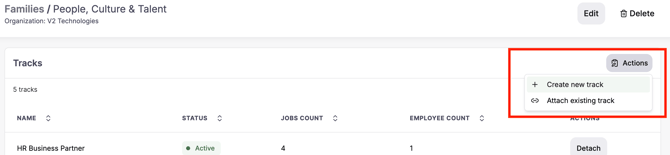
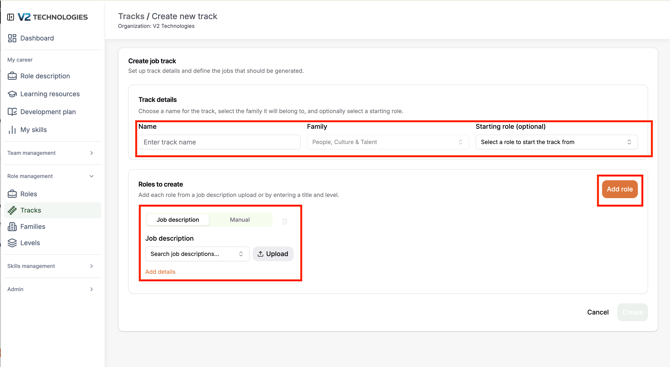
Name the role track and choose a starting role. Then click "Add role" to add as many levels as you would like to include in the role track
When a role track is created the system will create common skills that are shared from level to level. The current approach is to create 12 skills from the starting role and as each level is created, drop two skills and add two skills to account for the changing nature of the role at that level. Additional approaches will be added soon.
How can I view and use Role Tracks?
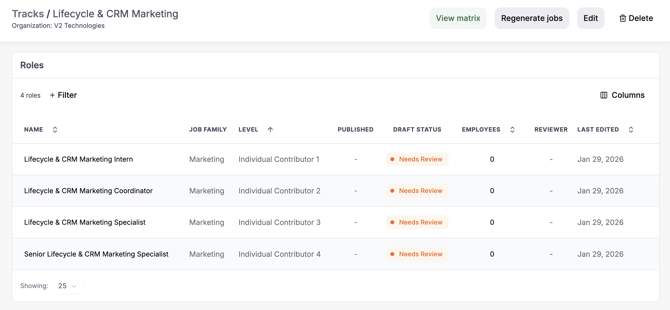
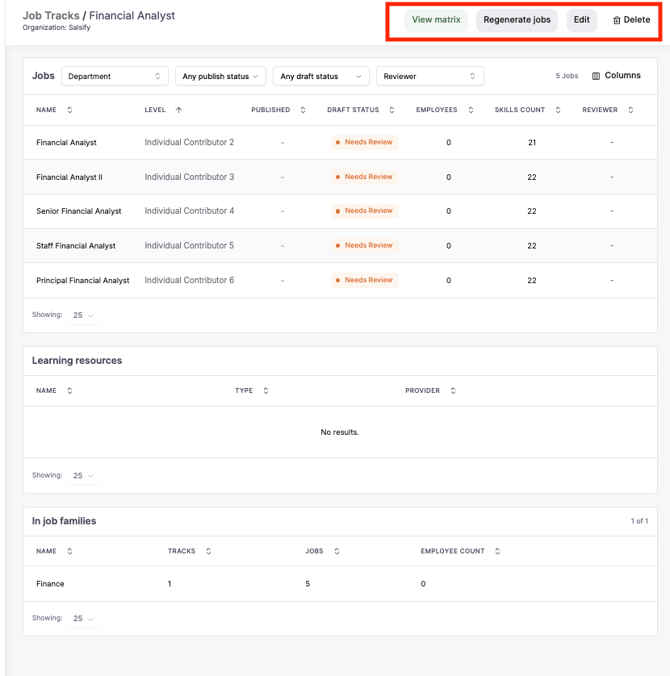
The default view below shows each level of the Role Track
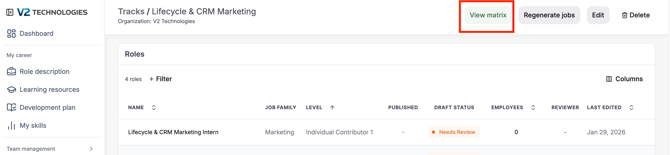
You can also view job tracks as matrix by clicking on "View Matrix"
The Role Track matrix view can be customized by expanding the description and responsibility as well as click "Job display" to customize which roles are shown in the matrix. See screen shot below.
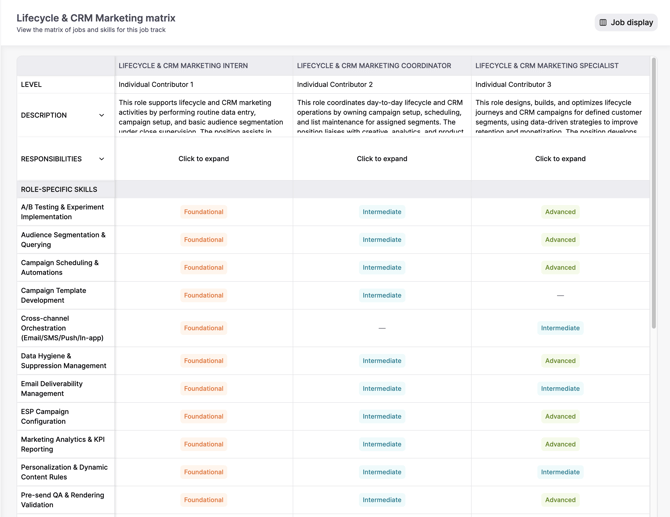
What the matrix shows
- Roles displayed side by side
- Responsibilities per role
- Role-specific skills
- Required proficiency levels (e.g., Foundational → Expert)
Why this matters
- You can clearly see how skills evolve from one level to the next
- Identify skill gaps between roles
- Align career progression with learning and development
Additional actions
Within a track, you can:
- View matrix – Analyze skills and progression
- Regenerate jobs – Refresh role content using AI
- Edit – Update track structure
- Delete – Remove the track
How to use Role Tracks
- Build career paths for each function (Finance, Sales, Engineering, etc.)
- Ensure roles progress logically across levels
- Use the matrix to define skill expectations
- Align learning resources with progression
Best practices
- Keep tracks within the same job family
- Ensure levels increase consistently (e.g., IC1 → IC6, etc.).
- Avoid duplicate roles across tracks
- Use tracks to support performance reviews and promotions