
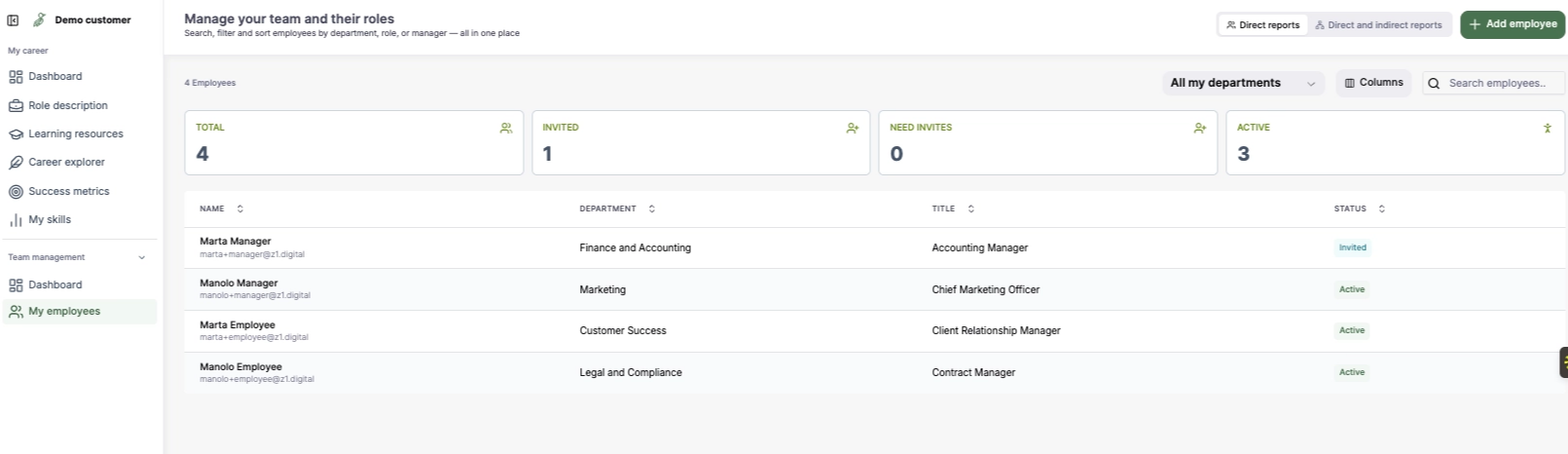
What you’ll find here
- A list of all employees you manage, including:
- Name
- Department
- Role title
- Status (invited or active)
- Filters to view:
- Direct reports
- Indirect reports
- Employees across departments
- A summary of:
- Total employees
- Invited employees
- Active employees
- Employees who still need invites
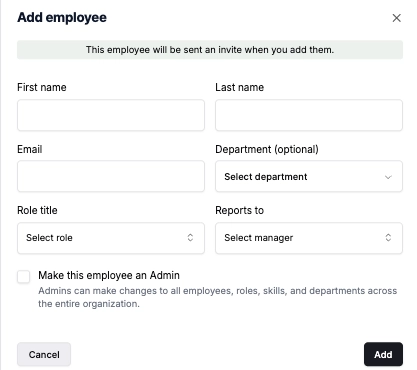
Adding a new employee
You can add a new team member by:
- Entering their:
- Name
- Department
- Role
- Manager (reporting structure)
- Option to assign them as an admin
Once added, the employee will receive an invitation to join CareerBird.
- Keep your team structure up to date
- Ensure all team members are invited and active
- Maintain accurate reporting relationships